

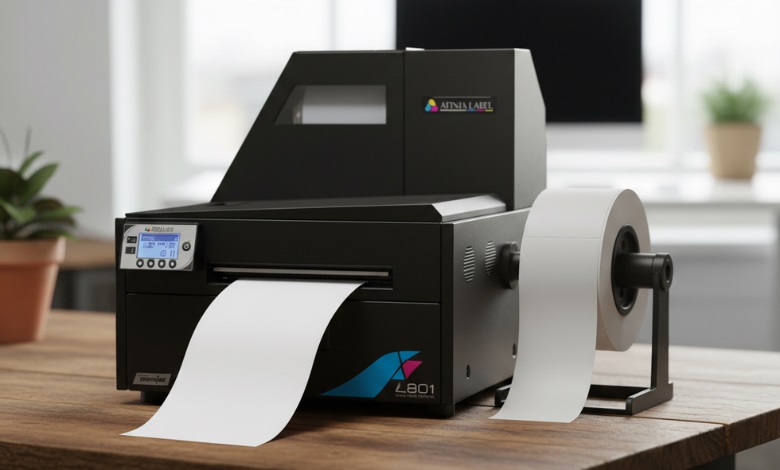
When we talk about paper for printing, you’ve probably heard the term GSM thrown around. When it comes to paper quality, there are several terms that are thrown around, but what do they really mean? What is GSM Paper & How Does It Affect Your Printing? Let’s dive into it and demystify how this paper weight measurement can influence your printed materials.
-
 VIPColor VP700 Color Label Printer$7,500.00
FREE SHIPPING over $199*
Orders before 12PM EST usually Ship Same Business Day -
 Epson ColorWorks C8000 Gloss Inkjet Color Label Printer SKU: C31CL02A9991$8,630.00
FREE SHIPPING over $199*
Orders before 12PM EST usually Ship Same Business Day -
 Epson ColorWorks CW-C6000P Matte Color Inkjet Label Printer with Auto Peel and Present SKU: C31CH76A9961$2,898.00
FREE SHIPPING over $199*
Orders before 12PM EST usually Ship Same Business Day
GSM – What Does It Mean?
To begin with, GSM represents grams per square meter. The unit of measurement is used for determining a paper’s weight. It indicates how much paper is contained in a square meter in grams. A higher GSM indicates a thicker and heavier paper. But, does it mean the paper is “better”? Your plan will determine what you use it for!
Paper Weight: Metric System vs Imperial System
If you’re familiar with the imperial system, you might be accustomed to paper weight being measured in pounds (lbs), especially in the United States. However, GSM is part of the metric system and is used worldwide. For example, 20lb paper (which is commonly used for letterheads in the U.S.) is roughly equivalent to 75 GSM in the metric system.
So, why does GSM matter if you’re not working with imperial measurements? Simply, it’s a more universal standard that’s easier to understand because it gives an exact weight of the paper. There’s no need to worry about conversion.
Does GSM Refer to a Paper’s Thickness?
A common misconception is that GSM refers to how thick a piece of paper is. The truth is that GSM measures the weight, not the thickness. Thickness is determined by the caliper of the paper, which can be influenced by the type of paper, how it’s manufactured, and other factors. While there’s often a relationship between paper weight (GSM) and thickness, they are not the same thing.
For instance, a heavy 200 GSM paper might feel thicker than a lighter 80 GSM paper, but it doesn’t necessarily mean it’s denser or rigid. In fact, some types of paper (like glossy or coated paper) can feel thicker than their weight would suggest.
What’s So Important About GSM?
Why does GSM matter to your printing? Well, it directly influences how your printed materials will behave. A heavier, higher GSM paper is usually more durable, has a better feel, and can handle more ink without bleeding through. Lighter paper might be cheaper, but it can result in poor print quality for certain tasks.
If you’re printing invitations or brochures, a heavier GSM will give your piece that premium touch. For general office printing, you might prefer a lighter GSM to save costs. The right GSM also ensures your printer performs efficiently, as some printers handle thicker paper better than others.
Different Types of Paper Weights Perform Better for Different Tasks
It is important to consider the GSM of a paper as it relates to the task at hand. Here are some examples:
- 80-100 GSM: This weight is commonly used in everyday printing tasks such as documents, letters, and forms. It’s light enough for easy handling but sturdy enough to print clear text.
- 120-150 GSM: This weight is often used for brochures, flyers, and presentations. It’s thicker than standard copy paper and has a more professional feel.
- 200 GSM and above: This is your go-to for high-quality, heavyweight printing, think invitations, business cards, and posters. It’s thicker, often glossy or matte, and great for high-end print jobs.
Knowing which GSM is appropriate for your print job helps you save costs while ensuring the best quality outcome.
Does the Paper’s GSM Affect How Your Prints Turn Out?
There is no doubt that the GSM of the paper affects the quality of your prints. For example, if you use a low GSM paper for a high-quality print job, you may notice that the ink bleeds through the paper, leaving your document looking unprofessional. On the other hand, higher GSM paper has the ability to hold more ink, preventing it from soaking through and causing smudges. Typically, high-quality papers have a higher GSM, which results in sharper, better-looking, and more vibrant prints.
Additionally, thicker paper (higher GSM) has a better tactile feel, making it feel more premium. You may have noticed this with invitations or greeting cards; they often use heavier GSM paper because it adds to the sense of quality and importance.
How Does the Paper’s GSM Affect Your Printing?
When printing, you want the paper to not only hold the ink well but also feel good when handled. If the GSM is too low, you may encounter problems with ink bleeding, transparency, or a flimsy feel. On the flip side, higher GSM papers can be a bit trickier to feed through certain printers, especially inkjets or older models. Some printers may also require adjustments in settings when working with heavy paper to achieve optimal results.
The GSM of the paper will also affect the durability of the printed piece. For instance, if you’re printing documents that need to be handled frequently (think menus, manuals, or presentation sheets), choosing a thicker paper GSM can make it more resilient to wear and tear.
To put it simply, determining the correct GSM is critical to achieving the quality and durability you desire. Knowing the paper weight options available and how they affect your print job can save you time, money, and a lot of frustration.
Where Can I Find Label Printers?
If you’re in need of high-quality label printers, you’ve come to the right place. At TCS Digital Solutions, we offer top-quality label printers that meet your needs. Whether you’re looking for a printer to handle lighter paper for product labels or a model that can manage thicker stock for more durable labels, we’ve got you covered. Take a look at our wide selection at TCS Digital Solutions and find the perfect fit for your business.
-
 TrojanLabel T2-C Tabletop Volume Press Label Printer SKU: 10000155$33,995.00
FREE SHIPPING over $199*
Orders before 12PM EST usually Ship Same Business Day -
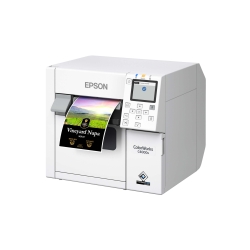 Epson C4000 / CW-C4000 ColorWorks Inkjet Label Printer (Gloss) SKU: C31CK03A9991$2,292.00
FREE SHIPPING over $199*
Orders before 12PM EST usually Ship Same Business Day -
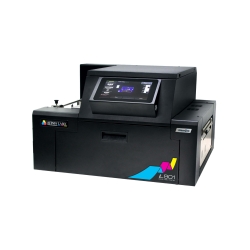 Afinia L901 Industrial Inline Color Label Printer SKU: 29698 GTIN: 678621130064$14,250.00
FREE SHIPPING over $199*
Orders before 12PM EST usually Ship Same Business Day
Final Thought
In addition to the GSM of the printed material, the GSM also determines how it feels, looks, and performs. Whether you’re printing documents for internal use or creating marketing materials that need to stand out, understanding what paper GSM is & how it affects your printing is key to choosing the right paper and ensuring your prints are of the highest quality.
Have More questions related tolabel Printing? Contact our support team via email at orders@tcsdigitalsolutions.com or call +1 (762) 208-6985 to get clarification for all your questions. TCS Digital Solutions Expert Support Team will be happy to assist you. To learn more about Label Printers, visit our blog section and get answers to all your questions.

