

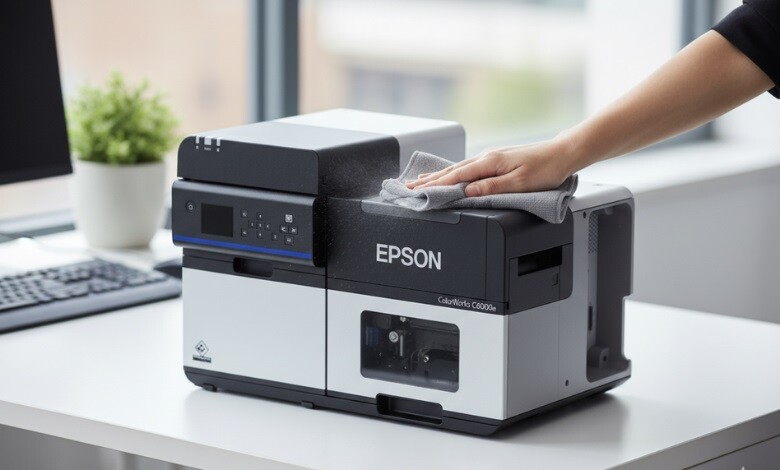
Inkjet printers are incredibly convenient, but like any piece of technology, they need regular maintenance to perform at their best. Over time, ink can dry up or accumulate in the printer, leading to smudged prints, paper jams, or even malfunctioning components. So, if you find yourself asking, How to Clean an Inkjet Printer, you’re in the right place. You will be guided through the entire process in this guide in a straightforward, clear, and efficient way.
By following these easy steps, you can ensure your inkjet printer stays in top shape, providing you with crisp, clear prints every time.
-
 Quick Label QL-120D Inkjet Color Label Printer with 1 Year Warranty SKU: 42725600$7,995.00
FREE SHIPPING over $199*
Orders before 12PM EST usually Ship Same Business Day -
 Epson ColorWorks CW-C6000P Matte Color Inkjet Label Printer with Auto Peel and Present SKU: C31CH76A9961$3,898.00
FREE SHIPPING over $199*
Orders before 12PM EST usually Ship Same Business Day -
 Afinia F502 Fanfold Color Label Printer (Pigment Version) SKU: 35424$2,645.00
FREE SHIPPING over $199*
Orders before 12PM EST usually Ship Same Business Day
What You’ll Need
Prepare your printer for cleaning by gathering the following items:
- Soft lint-free cloth
- Distilled water (avoid tap water, as it can leave mineral residue)
- Isopropyl alcohol (for stubborn ink stains)
- Q-tips or cotton swabs
- A small bowl for water
- Paper towels
These supplies will help you effectively clean the components of your inkjet printer without damaging delicate parts.
How to Clean Your Inkjet Printer in 6 Easy Steps
Cleaning your inkjet printer might seem like a daunting task, but it’s really just a matter of taking it step by step. It’s easy to make your printer look brand new again with this quick and easy guide.
Step 1: Remove the ink cartridges and turn off the machine
Your printer should be turned off and unplugged from its power source. Before cleaning, this step is necessary to avoid any accidents. Once the printer is off, carefully remove the ink cartridges. Be cautious not to touch the nozzles or ink openings of the cartridges, as this could lead to ink smudging or clogging.
Step 2: Prepare the cartridges for cleaning
To clean your clothes, dampen them with distilled water (don’t use tap water). By wiping the cartridge heads gently, you can make sure that they are clean and free of dried ink or dust. Use a Q-tip if you want to be more precise when cleaning around the delicate parts. When dealing with stubborn stains, be sure to use a small amount of isopropyl alcohol on the cloth to dissolve ink residue.
Cleaning the cartridges will keep the ink flowing smoothly, which is crucial for consistent print quality.
Step 3: Ensure that the ribbon is clean
The ribbon is another area that might accumulate ink residue. Using a slightly dampened cloth, gently wipe down the ribbon to remove any ink buildup. If the ribbon is particularly dirty, consider using a small amount of alcohol to clean it. This step will help maintain smooth printing, preventing ink smears or blotches.
Step 4: Clean the Cartridge Housing
Now that the cartridges are clean, it’s time to turn your attention to the printer’s cartridge housing. This is the area where the cartridges sit inside the printer. Use a lint-free cloth dampened with distilled water to wipe the inside of the housing, removing any ink residue or debris that may have accumulated. Be careful around the electrical components and other delicate parts of the printer.
A clean cartridge housing ensures that your printer doesn’t experience paper jams or ink misalignment when printing.
Step 5: Oil the Stabiliser Bar
The stabilizer bar helps to keep your printer’s moving parts in place, reducing friction. Over time, dust and ink can accumulate on the bar, making it harder for the printer to function smoothly. To clean it, lightly oil the stabilizer bar with a tiny drop of printer oil or lubricating oil. Gently rub it with a soft cloth to spread the oil evenly. You will reduce the risk of wear and tear by keeping your printer’s mechanical parts working smoothly.
Step 6: Reinsert the Cartridges
Once everything is clean, carefully reinsert the ink cartridges into their respective slots. Make sure they are securely seated in place. Turn your printer back on, and you may need to perform a test print to ensure everything is working as it should. If you notice that the print quality is still poor, a cleaning cycle via your printer’s software can help clear up any remaining issues.
Where Can I Get Inkjet Printers?
At TCS Digital Solutions, we provide high-quality inkjet printers that cater to all your printing needs. Whether you need a reliable printer for home use or a high-performance model for business, we have a wide selection of top-rated options. Our printers are designed for efficiency, longevity, and superior print quality. Find the right inkjet printer for your requirements by browsing our collection.
-
 TrojanLabel T2-C Tabletop Volume Press Label Printer SKU: 10000155$33,995.00
FREE SHIPPING over $199*
Orders before 12PM EST usually Ship Same Business Day - Afinia L901 Industrial Inline Color Label Printer SKU: 29698 GTIN: 678621130064$14,250.00
FREE SHIPPING over $199*
Orders before 12PM EST usually Ship Same Business Day - Epson ColorWorks C3500 Inkjet Color Label Printer SKU: C31CD54011 GTIN: 814420980046$2,419.00
FREE SHIPPING over $199*
Orders before 12PM EST usually Ship Same Business Day
Final Takeaway
And there you have it! Cleaning your inkjet printer doesn’t need to be a complicated task. By taking care of your printer properly, you will be able to keep it running like new for many years to come. Regular maintenance is key to ensuring optimal performance, so make sure to check your printer every so often and clean it when needed.
Have more questions related to How To Clean An Inkjet Printer in Some Easy Steps? Contact our support team via email at orders@tcsdigitalsolutions.com or make a call at +1 (762) 208-6985 to get clarification for all your questions. TCS Digital Solutions Expert Support Team will be happy to assist you. To learn more about Inkjet Printers, visit our blog section and get answers to all your questions.
Frequently Asked Questions
Should I Clean My Inkjet Printer Regularly?
Yes, it’s recommended to clean your printer every 2-3 months to maintain print quality and prevent clogging.
Is It Safe to Use Rubbing Alcohol on the Ink Cartridges?
Yes, but only in small amounts. Avoid soaking the cartridges as excessive liquid can damage the internal components.
Will Cleaning My Inkjet Printer Improve Its Print Quality?
Yes, cleaning your printer helps remove ink buildup and dust, improving the print quality and preventing issues like streaks and smudging.

