

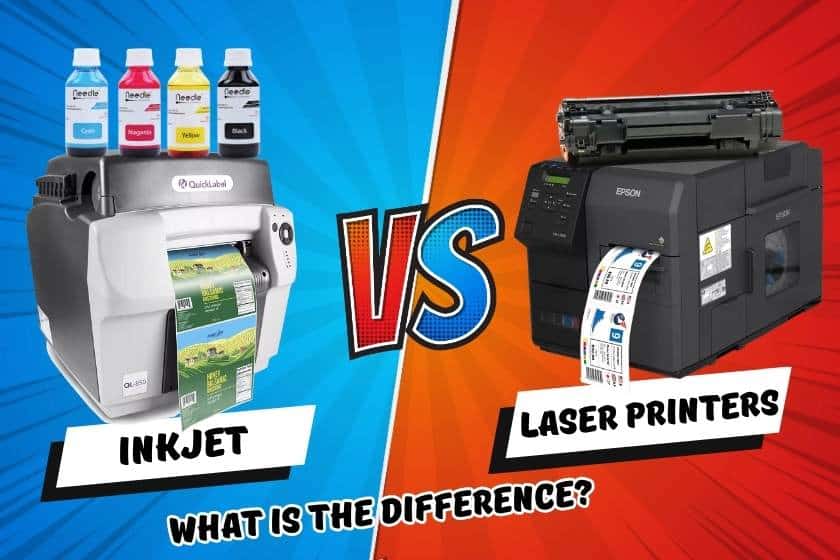
 Use of a laser printer or an inkjet printer will depend on your individual requirements and preferences. Inkjet printers are suitable for use at home or in a small office and are typically more affordable upfront. They are perfect for jobs like photo printing and graphic design because they excel at producing high-quality color prints. However, they are typically slower than laser printers and might cost more per page to print as ink cartridges need to be changed.
On the other hand, laser printers are more expensive initially but produce prints more quickly and effectively, making them ideal for high-volume printing in crowded office settings. Laser printers print with toner cartridges rather than ink, which lowers the cost per page. Although color laser printers are available for those who occasionally need color printing, laser printers are proficient at printing documents in black and white. They are renowned for their accuracy, sturdiness, and output of clear text.
Let’s examine how laser and inkjet printers differ from one another.
-
 Primera LX910 Color Label Printer SKU: LX910$2,749.00
FREE SHIPPING over $199*
Orders before 12PM EST usually Ship Same Business Day -
 Afinia L801 Plus Commercial Color Label Printer SKU: 32498$8,850.00
FREE SHIPPING over $199*
Orders before 12PM EST usually Ship Same Business Day -
 Epson ColorWorks C3500 Inkjet Color Label Printer SKU: C31CD54011 GTIN: 814420980046$2,492.00
FREE SHIPPING over $199*
Orders before 12PM EST usually Ship Same Business Day
What Is an Inkjet Printer?

When choosing between inkjet and laser printers, take into account aspects like your printing volume, budget, preferred print quality, and speed requirements. Finding the ideal compromise between your unique printing requirements and the capabilities provided by each printer type will ultimately determine your best option.
Inkjet printers are small, low-cost devices that squirt liquid ink onto paper and allow it to dry naturally. The typical composition of inkjet printer ink includes a combination of drying agents, carbon pigments, and additional ingredients that aid in the ink’s adhesion to printer paper.
This is the complete opposite of how laser printers operate, which melt toner powder onto paper using heat.
Inkjet printers are commonly thought of as your standard home printer because they are designed primarily as a personal printing option.
Inkjet printers come in a variety of styles, but users who need to print high-quality photographs frequently choose photo inkjet printers over more conventional models since they are typically adept at printing photos or images.
What Is a Laser Printer?
The “conventional office printer” that you would think of is a larger, more robust device called a laser printer.
Electrical currents in LaserJet printers attract toner “dust” to a piece of paper, which is then fused to the paper by heat. You may think of laser and inkjet printers in terms of the supplies each device needs:
- Laser Printers require toner.
- Inkjet Printers require ink.
Because they are designed for use in offices, laser printers often print more frequently and more quickly than inkjet printers.
How Do Inkjet and Laser Printers Differ From One Another?
Inkjet and laser printers use very different printing technologies. Inkjet printers produce images on the paper using tiny droplets of ink, as opposed to laser printers, which use a laser beam to create an image on a drum that is then printed onto paper using toner.
Inkjet printers are the best for tasks like photo printing and graphic design because they produce prints with excellent print quality, high resolution, and vibrant color. They are also capable of handling various sizes and types of paper. Contrarily, laser printers are renowned for their ability to produce text that is crisp and precise, making them ideal for documents, reports, and business use. Color laser printers are available, but they are typically more suitable for sporadic color printing than for printing high-quality photos.
Another distinguishing characteristic is speed. In general, laser printers are quicker than inkjet printers, especially when printing a lot of text-based documents. They are therefore better suited to hectic office settings where productivity is essential.
- Epson C4000 / CW-C4000 ColorWorks Inkjet Label Printer (Gloss) SKU: C31CK03A9991$2,492.00
FREE SHIPPING over $199*
Orders before 12PM EST usually Ship Same Business Day -
 Epson ColorWorks C7500 Gloss Inkjet Color Label Printer SKU: C31CD84311 GTIN: 814420980107$9,349.00
FREE SHIPPING over $199*
Orders before 12PM EST usually Ship Same Business Day -
 Epson ColorWorks CW-C6000A Gloss Color Inkjet Label Printer with Auto Cutter SKU: C31CH76A9991$3,059.00
FREE SHIPPING over $199*
Orders before 12PM EST usually Ship Same Business Day
The cost factors for the two types are different. Although inkjet printers typically have lower initial costs, the need for frequent ink cartridge replacements may result in higher per-page printing costs. As toner cartridges last longer and are more cost-effective over the long term, laser printers frequently have higher upfront costs but offer lower per-page printing costs.
In the end, your specific printing requirements—including print quality, speed, volume, and financial constraints—will determine whether you choose a laser printer or an inkjet printer.
| INKJET PRINTERS vs LASER PRINTERS | |
| Inkjet Printer | Laser Printer |
| Uses ink cartridges | Uses toner |
| Bright colors and images | Clear and sharp text and images |
| Best for homes and homes offices with lower print volume | Widely used in offices and small offices with higher print volume |
| Image heavy documents | Business focused |
Pros of Inkjet Printers
Inkjet printers provide the following two main advantages:
- More Short-Term Cost Savings
The undeniable benefit of inkjet printers over laser printers is that consumers can purchase them for a lot less money up front.
- Simple to Move
Another benefit of being small and inexpensive is that inkjet printers can be made in a variety of sizes that laser printers cannot.
Inkjet printers may now more easily fit into small work locations, which is in line with their intended use as personal or home printers.
Pros of Laser Printers
Let’s start by examining the key benefits of buying a laser printer:
- As a Permanent Printing Solution, Constructed
The main benefit of buying a laser printer is that, depending on your usage and the model you choose, it can last your workplace for a long time—typically five years or more.
As long as you stick to your machine’s recommended monthly print volume, they have a long lifespan, making them a good choice for companies that frequently print or copy documents.
- Faster and Better Printing
The fact that laser printers print more quickly and with higher quality than inkjet printers is another significant benefit of using one.
- Quick Label QL-300 (120V) Toner CMYK Color Label Printer SKU: 1003-0000002$9,970.00
FREE SHIPPING over $199*
Orders before 12PM EST usually Ship Same Business Day - Quick Label QL-300s (120V) Toner CMYK + White Color Label Printer SKU: 1003-0000004$13,120.00
FREE SHIPPING over $199*
Orders before 12PM EST usually Ship Same Business Day
What Criteria Should You Weigh When Choosing Between an Inkjet Printer and a Laser One?
You should take into account a number of important factors before deciding whether an inkjet or laser printer is better for your needs, including:
- Both inkjet and laser printers can produce the vivid colors and fine details you require, whether you want to print in color or black and white. It may be best to use a monochrome laser printer if you only need to print black and white.
- If copy, scan, and fax capabilities are not required, laser printers provide more affordable options. When compared to laser printers, which may cost more up front but typically have a lower total cost of ownership over time, inkjet printers are frequently less expensive to buy.
- Quality: Inkjet printers are still regarded as the masters of high-resolution color printing, despite the fact that laser printers produce good color and black-and-white results. Inkjet and laser printers can both generate readable, clear, and sharp text, as well as vivid color graphics and images suitable for business documents. Inkjet printers also have the capability of printing borderless (edge to edge).
- How quickly do you require those documents, and how many are required? Laser printers are a great option for small businesses, large workgroups, and mid-sized offices because they can quickly produce large volumes of documents. An inkjet printer can easily accommodate the printing requirements of small offices and home offices with lower print volumes.
- Page Yield: You can select the toner or ink cartridge that best suits your printing needs from a range of page yield options that are available for both toner and ink cartridges. High-yield cartridges, which increase the number of pages you can print before replacing the cartridge, are compatible with both inkjet and laser printers. This can reduce your overall ownership costs regardless of the type of printer you have.
- Business features: Laser printers may have extra features designed specifically for the workplace, like optional paper trays, higher yields on replacement supplies, and improved security features, if you intend to use your printer primarily for business.
- Although most printers can handle a variety of paper sizes, several TCS Digital Solutions inkjet printers also allow printing on larger 11×17 ledger, or tabloid, paper.
- Support: When purchasing a printer, you must ensure that the product is supported and that you can get technical support when needed.
When choosing a printer brand, you may want to consider factors such as the cost of the machine, the cost of the consumables, and what your business needs are. Our team of printer experts can assist you with whatever printing needs you have. We at TCS Digital Solutions offer most of the top brand printers like Epson Printer , Afinia Printer, Primera Printer, NeuraLabel Callisto Printer, QuickLabel Printer and TrojanLabel Printer at the best prices. We have a solid reputation for offering premium printers at affordable prices.
Related Articles

