

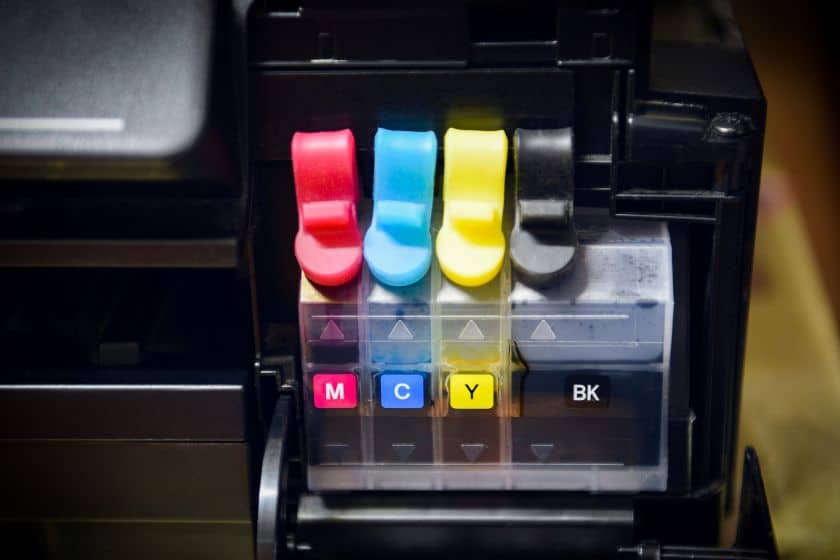
 Printer ink is a crucial component of any printing system, and its lifespan can significantly impact your printing costs and output quality. Whether you’re an occasional printer or a heavy user, it’s essential to comprehend how long printer ink lasts, whether it expires, and how to maximize its shelf life. In this comprehensive guide, we’ll explore these questions and provide tips on how to get the most out of your printer ink.
-
 Primera LX3000 Dye Ink Tank, Cyan SKU: 053004$66.95
FREE SHIPPING over $199*
Orders before 12PM EST usually Ship Same Business Day -
 Epson ColorWorks C3500 Black Ink Cartridge SJIC22(K) for Epson C3500 SKU: C33S020577 GTIN: 4988617161689$29.00
FREE SHIPPING over $199*
Orders before 12PM EST usually Ship Same Business Day -
 Afinia L301 Black Ink Cartridge SKU: 26562 GTIN: 678621140209$51.00
FREE SHIPPING over $199*
Orders before 12PM EST usually Ship Same Business Day
Does Printer Ink Expire?

Yes, printer ink does have an expiration date. However, it’s vital to distinguish between “expiration” and “self-life.”
Expiration Date: The manufacturer usually sets an expiration date on printer ink cartridges. This date is a recommendation for when the ink is at its optimal performance. It doesn’t mean the ink becomes unusable immediately after that date.
Shelf Life: Printer ink has a shelf life, which is the period during which it can be stored without significantly degrading in quality. There can be a variation in shelf life between ink types, storage conditions, and manufacturers.
While printer ink may still be usable after its expiration date, its performance may decline over time, leading to issues like faded prints, clogged print heads, or other printing problems. However, there are ways to maximize its shelf life and ensure it remains usable for an extended period.
How Long Does an Ink Cartridge Last?
To extend the shelf life of your printer ink and ensure it remains in good condition, consider the following tips:
- Store in the Original Packaging: Keep unused ink cartridges in their original, sealed packaging until you’re ready to use them. The packaging is designed to protect the ink from air and light exposure, which can lead to deterioration.
- Control Temperature and Humidity: Maintain a cool, dry environment for printer ink cartridges. Extreme heat and humidity can have a negative impact on ink quality. Avoid storing ink in direct sunlight or near heaters.
- Use High-Quality Storage Containers: If you need to store open ink cartridges or have bulk ink supplies, consider investing in airtight, moisture-resistant storage containers designed for this purpose.
- Keep Cartridges Upright: Store ink cartridges in an upright position to prevent ink from settling or clogging the print head.
- Print Regularly: Regularly printing with your printer helps keep the ink flowing and prevents ink cartridges from drying out. Periodically print a test page or a small document on a printer you use infrequently.
- Shake Cartridges Before Use: If an ink cartridge has been sitting unused for a while, gently shake it before installing it in the printer. This can help redistribute the ink and improve print quality.
- Perform Printer Maintenance: Follow your printer manufacturer’s guidelines for routine maintenance. This may include cleaning the print head and aligning the cartridges. Ink-related issues can be prevented with proper maintenance.
How to Keep Ink Cartridges From Drying Out:
Maintaining print quality and preventing printer issues requires preventing ink cartridges from drying out. Listed below are some helpful tips for helping you achieve this:
- Use Your Printer Regularly: Frequent use helps keep the ink flowing through the cartridges and prevents them from drying out. Printing a test page or small document regularly will ensure that your printer is kept ink-free if you don’t use it often.
- Keep Cartridges Installed: When you’re not using your printer, it’s best to keep the ink cartridges installed in the printer. Removing cartridges can expose them to air and increase the risk of drying.
- Store Cartridges in Their Original Packaging: Until they’re ready to be used, spare cartridges should be kept sealed in their original packaging. Cartridges are protected against air exposure in their original packaging.
- Use Sealed Storage Containers: If you have opened cartridges or bulk ink supplies, store them in airtight, moisture-resistant storage containers designed for this purpose.
- Avoid Extreme Temperatures: Keep your printer and cartridges in a cool, dry place. Both extremes of temperature—hot and cold—can negatively impact the consistency of the ink.
-
 Trojan T2 / Trojan T2C Natura Cyan Ink TrojanLabel INK-T2C-C-Natura SKU: 30020031$1,570.00
FREE SHIPPING over $199*
Orders before 12PM EST usually Ship Same Business Day - Kiaro! 200 & QuickLabel QL-120 Black Ink SKU: 14731204$273.00
FREE SHIPPING over $199*
Orders before 12PM EST usually Ship Same Business Day - Afinia L501 / Afinia L502 / Afinia F502 Black Dye Ink Cartridge SKU: 30657 GTIN: 678621140476$60.00
FREE SHIPPING over $199*
Orders before 12PM EST usually Ship Same Business Day
Signs of Expired Ink
Printer ink can exhibit signs of expiration or degradation over time. Here are some common indicators that your ink may be past its prime:
- Faded Prints: Fading or a lack of vibrancy in your prints could indicate that the ink is degrading, especially when it comes to color prints.
- Clogged Print Head: Ink that has been sitting for an extended period may result in clogged print heads. Streaks or missing portions in your prints may be due to clogs.
- Inconsistent Colors: If your color prints have inconsistent colors or color shifts, the ink may be deteriorating.
- Low Ink Output: Consistently getting fewer pages printed than expected from a cartridge could be due to ink depletion or ink drying out.
- Error Messages: Modern printers often have sensors and error messages that detect ink-related issues. Whenever you see error messages on the screen of your computer or printer, pay attention to them.
- Smudges and Blotches: Smudges or blotches on your prints may be a sign of degraded ink or a clogged print head.
- Print Head Alignment Issues: Difficulty aligning the print head or persistent alignment problems can indicate ink-related issues.
If you encounter these signs and your ink cartridge is past its expiration date, it may be time to consider replacing the cartridge.
Troubleshooting Ink Problems
Before exploring the lifespan of ink cartridges, let’s address the vexing issue of ink problems and how to troubleshoot them effectively:
- Check for Compatibility: Ensure that your printer’s ink cartridges are compatible. When you use the wrong cartridge, you can cause a lot of problems.
- Inspect Cartridge Installation: Verify that the cartridges are correctly installed. Sometimes, cartridges may not be seated properly, leading to printing issues.
- Print a Test Page: Test pages can usually be printed on most printers. Using this method, you can check whether the ink or printer is causing the printing error.
- Clean the Print Head: Clogged print heads result from dried ink over time. Many printers have a cleaning function that can help resolve this issue.
- Check for Empty Cartridges: If your printer reports an empty or low-ink cartridge, replace it. The print head can be damaged by printing with empty cartridges.
- Update or Reinstall Printer Drivers: Poor printer drivers can prevent printing from working correctly. Consider reinstalling your drivers if they are out of date.
- Use Genuine Ink Cartridges: Generic or third-party ink cartridges may not perform as reliably as genuine ones. Consider using manufacturer-recommended ink for optimal results.
- Primera LX600 / Primera LX610 Ink Cartridge, High Yield Color Dye SKU: 053496$94.95
FREE SHIPPING over $199*
Orders before 12PM EST usually Ship Same Business Day -
 Epson ColorWorks C4000 Cyan Ink Cartridge SJIC41P(C) for Epson C4000 SKU: C13T52L220$39.00
FREE SHIPPING over $199*
Orders before 12PM EST usually Ship Same Business Day - Afinia L501 / Afinia L502 / Afinia F502 Black Dye Ink Cartridge SKU: 30657 GTIN: 678621140476$60.00
FREE SHIPPING over $199*
Orders before 12PM EST usually Ship Same Business Day
Shelf Life of Sealed Ink Cartridges
Sealed ink cartridges, when stored properly, can have a shelf life of approximately 24 to 36 months from their manufacturing date. Numerous elements, such as the kind, producer, and storage circumstances, can impact an ink’s shelf life.
Average Life Expectancy of Ink Inside a Printer
Once an ink cartridge is installed in a printer, its life expectancy can vary considerably based on usage patterns and maintenance. On average, ink cartridges can last anywhere from a few weeks to a few months, depending on the following factors:
- Frequency of Use: Printers that are used more frequently tend to deplete ink cartridges faster.
- Type of Prints: Color prints and high-resolution images consume more ink than basic text documents.
- Maintenance: Regular printer maintenance, such as cleaning the print head and aligning the cartridges, can extend the life of ink cartridges.
- Printer Settings: Adjusting printer settings, such as choosing draft mode for less critical documents, can conserve ink.
- Print Volume: The number of pages printed with each cartridge depends on its capacity, which can vary by cartridge model.
Expiration Date vs. Warranty Date of Ink
Ink cartridges typically come with both an expiration date and a warranty date, and it’s important to understand the difference between the two.
- Expiration Date: The expiration date is a recommendation by the manufacturer for when the ink is at its optimal performance. It suggests that the ink may start to deteriorate or produce less reliable prints after this date. However, it doesn’t mean that the ink becomes unusable immediately.
- Warranty Date: The warranty date refers to the period during which the manufacturer guarantees the ink cartridge against defects or malfunctions. It does not necessarily coincide with the ink’s expiration date. If you encounter issues with an ink cartridge within the warranty period, you may be eligible for a replacement or refund.
How Many Pages Can an Ink Cartridge Print?
It is dependent upon various factors, such as the number of pages that an ink cartridge can print:
- Cartridge Capacity: There is a minimum and maximum page yield on every cartridge. This indicates the estimated number of pages the cartridge can print. This can vary widely based on the cartridge’s size and capacity.
- Type of Prints: The type of documents you print matters. Basic text documents will use less ink compared to color prints or high-resolution images.
- Printer Settings: Adjusting printer settings can impact page yield. Ink can be conserved by using draft mode or lower-quality settings, but the quality of the print may be reduced.
- Maintenance: Regular printer maintenance, such as cleaning the print head and aligning cartridges, can help optimize page yield.
- Frequency of Use: Printers that are used more frequently tend to deplete ink cartridges faster.
- Trojan T2 / Trojan T2C / Trojan T3 STD DGN 2L K Black Ink TrojanLabel INK-T2C-K-DGN-2L SKU: 30030004$1,570.00
FREE SHIPPING over $199*
Orders before 12PM EST usually Ship Same Business Day -
 QuickLabel Kiaro! D Black Ink SKU: 14831104$273.00
FREE SHIPPING over $199*
Orders before 12PM EST usually Ship Same Business Day - Afinia L701 Black Ink Cartridge Standard SKU: 30300 GTIN: 678621140346$250.00
FREE SHIPPING over $199*
Orders before 12PM EST usually Ship Same Business Day
Does Printer Ink Expire if Unopened?
Yes, printer ink can expire even if it remains unopened. Manufacturers typically set an expiration date for printer ink cartridges. This date is a recommendation for when the ink is at its optimal performance. While the ink may still be usable after the expiration date, its performance may decline over time, leading to issues like faded prints or clogged print heads.
Do Toner Cartridges Expire?
Yes, toner cartridges, like ink cartridges, can also expire. It is the manufacturer that determines the expiration date of toner cartridges. While the toner may still be usable after the expiration date, it’s recommended to use it within the specified timeframe for optimal print quality. Storing toner cartridges properly can help extend their shelf life and maintain their performance.
Why Do Ink Cartridges Expire?
Ink cartridges have expiration dates for several reasons:
- Ink Quality: Over time, ink can deteriorate and thicken, affecting its print quality. The manufacturer wants to ensure the ink they sell produces high-quality prints consistently.
- Prevent Clogs: Dried or thickened ink can clog the print head, leading to printing issues. In order to minimize the risk of clogs, expiration dates should be included.
- Customer Satisfaction: By providing ink within a certain lifespan, manufacturers aim to maintain customer satisfaction and reduce the likelihood of complaints related to ink quality.
- Technical Compatibility: Printers are designed to work optimally with ink that falls within a specific quality range. The ink that has expired may not perform within those parameters.
What is the Best Place to Buy Printer Ink?
When it comes to finding the best place to buy printer ink, TCS Digital Solutions is a top choice. They offer a wide selection of high-quality ink cartridges suitable for various printer models. What sets TCS Digital Solutions apart is its commitment to customer convenience. With an easy-to-navigate online platform, you can browse and purchase printer inks from the comfort of your home. Their competitive prices and reliable shipping ensure a hassle-free experience. TCS Digital Solutions prioritizes customer satisfaction, making them a trusted destination for purchasing printer inks. When you choose TCS Digital Solutions, you’re choosing quality, variety, and convenience for all your ink needs.
In conclusion, printer ink is a vital component of the printing process, and understanding its lifespan is crucial. While printer ink does have an expiration date, it doesn’t render it immediately unusable. Proper storage and maintenance can help maximize its shelf life. Signs of expired ink include faded prints and clogged print heads. Troubleshooting ink problems involves checking compatibility and performing maintenance. Sealed ink cartridges have a shelf life of 24 to 36 months, while the life expectancy of installed cartridges varies based on usage. Ink cartridges come with both expiration and warranty dates, and it’s important to differentiate between them. Toner cartridges also expire, and manufacturers set these dates to maintain ink quality and prevent clogs. TCS Digital Solutions is a reliable source for printer inks, offering a convenient online platform and quality products.
Related Articles

